It runs on your machine
A SQLite database and plain markdown in a folder you pick. The server listens on
127.0.0.1 and nowhere else. No cloud
account, no sync service, nothing to breach.
v2.7.7 · macOS · Windows
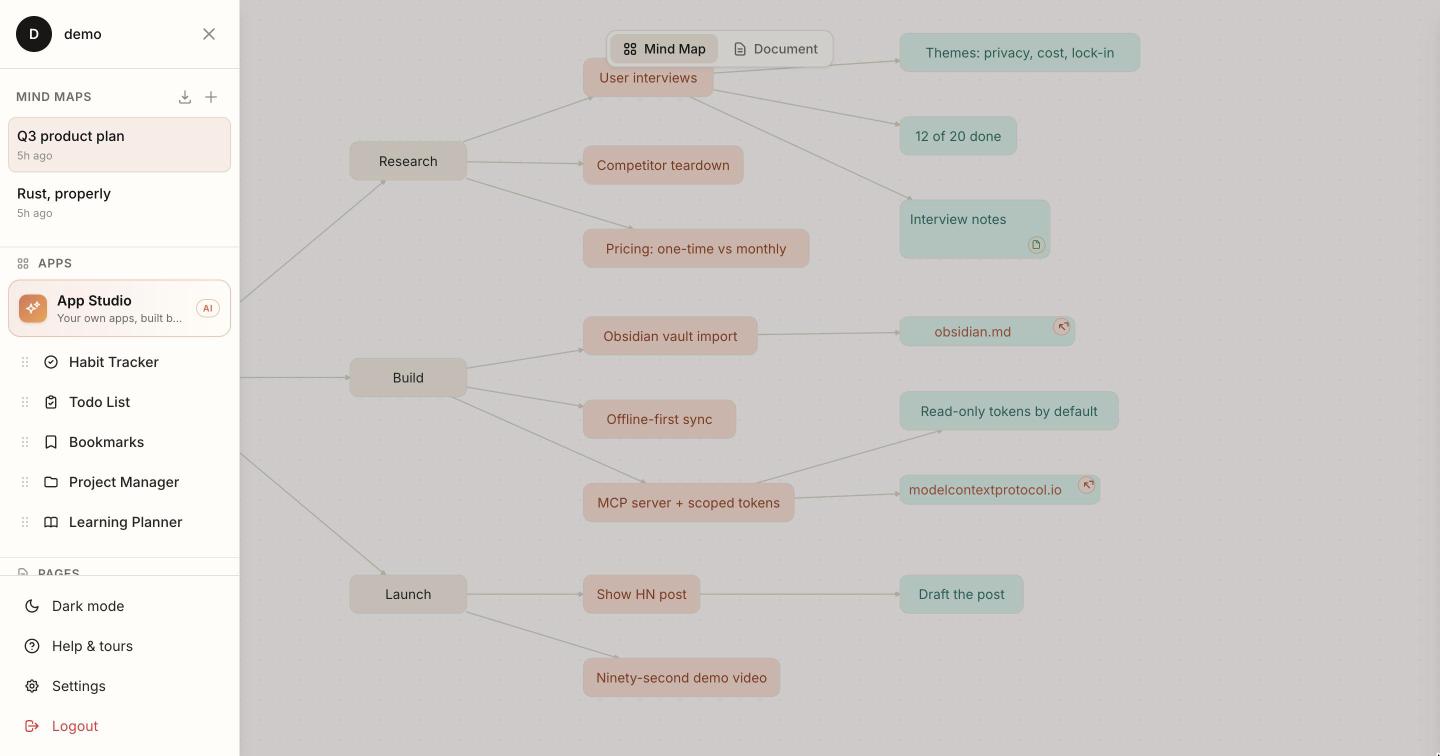
Mind maps, notes, todos, habits, bookmarks and projects in one desktop app on your own machine — and Jarvis, its assistant, can see all of it. Nothing is uploaded.
7 days, every feature, no account. Then it stays readable — nothing gets locked away.
One payment, every future update.
macOS 12+ (Apple Silicon or Intel) and Windows 10+. On Linux? · Intel Mac build
Runs on your machine Bring your own AI key Pay once, no subscription 30-day money-back
assets/shots/
The actual problem
Notes in one app, tasks in another, habits in a third — and the AI you pay twenty dollars a month for has seen none of them. Every conversation starts with you explaining your own life.
BrainOS puts all of it in one place, on your disk, and points the AI at it.
Powered by whichever AI you already use
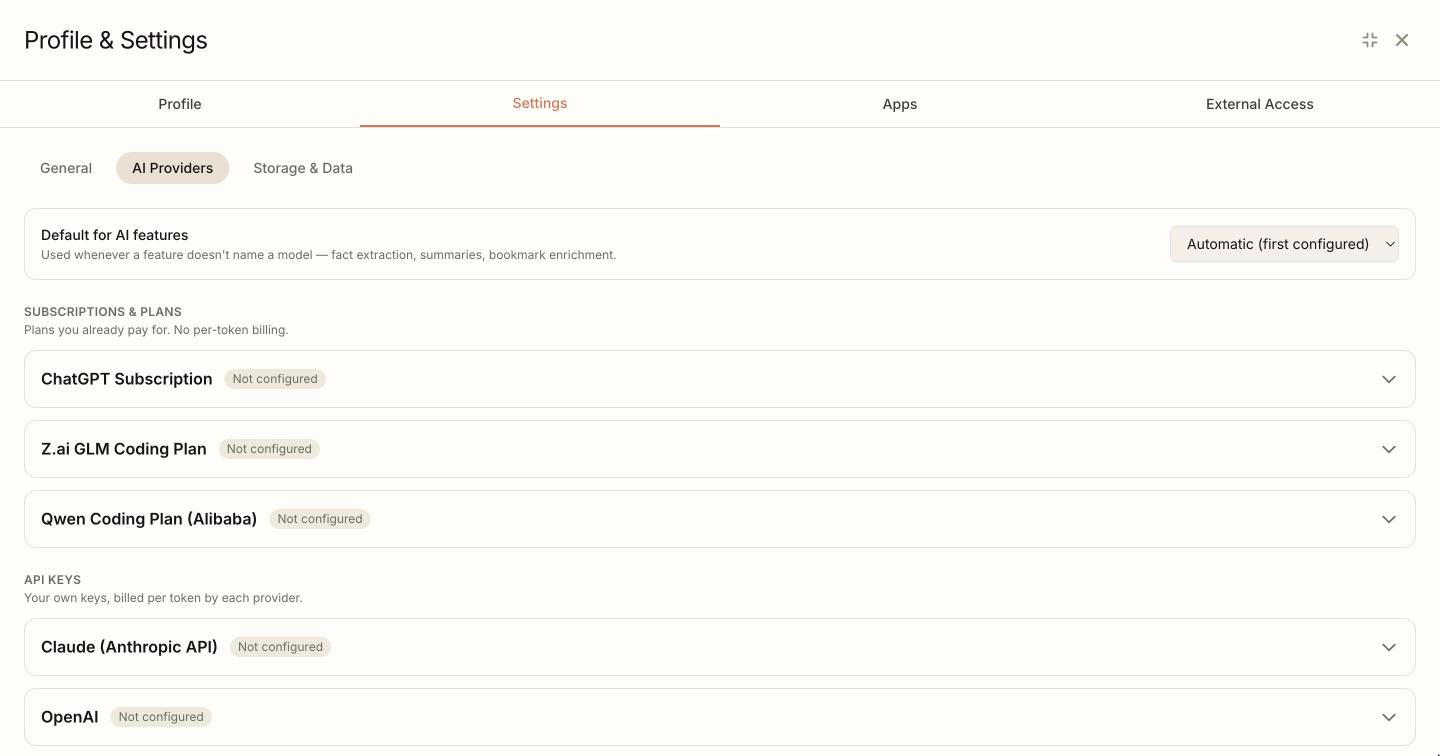
Three are flat-rate plans you may already pay for. Sign in with ChatGPT or paste a GLM or Qwen plan key, and BrainOS runs on that instead of a metered API bill.
Why it’s different
A SQLite database and plain markdown in a folder you pick. The server listens on
127.0.0.1 and nowhere else. No cloud
account, no sync service, nothing to breach.
After each conversation Jarvis files what it learned into markdown you can read and edit. Mention a decision in January and it still knows in June — no pasting context back in.
One search reaches a node in a mind map, a task on a board, a bookmark’s summary and a line from a chat six weeks ago. One app, not five with integrations.
New App Studio
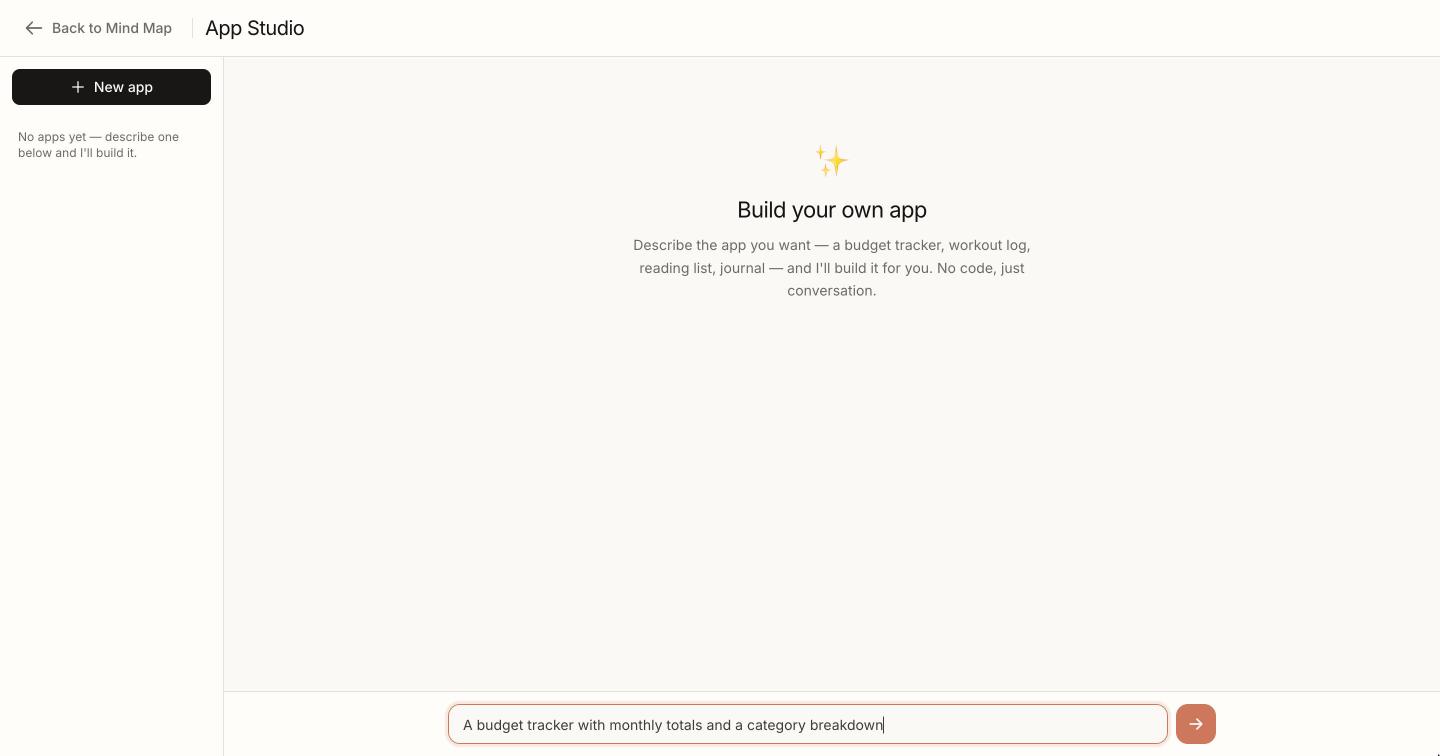
“Build me a budget tracker.” “A reading log with star ratings.” BrainOS writes a real working app, runs it in a locked-down sandbox, and adds it to your sidebar.
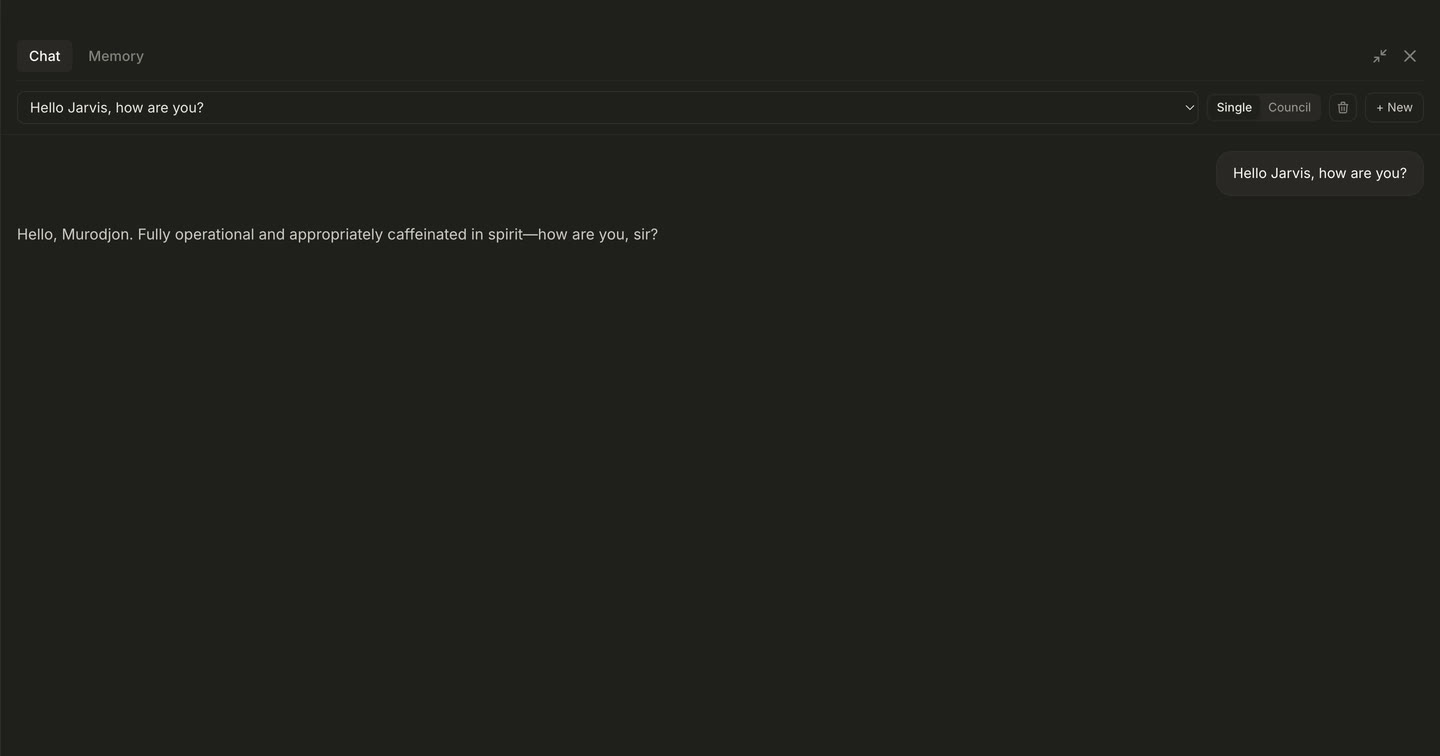
assets/shots/jarvis.jpg.
Jarvis
Ask “what should I do today?” and it answers from your real projects, overdue tasks, habit streaks and last week’s notes — not a blank slate.
Facts worth keeping are filed into markdown in your own folder, by topic. Semantic search finds them later even when your words don’t match.
One request assembles what’s due, what’s slipping and what you said you’d do.
For decisions worth the tokens: three models answer, rank each other blind, and a chairman writes the synthesis.
The canvas
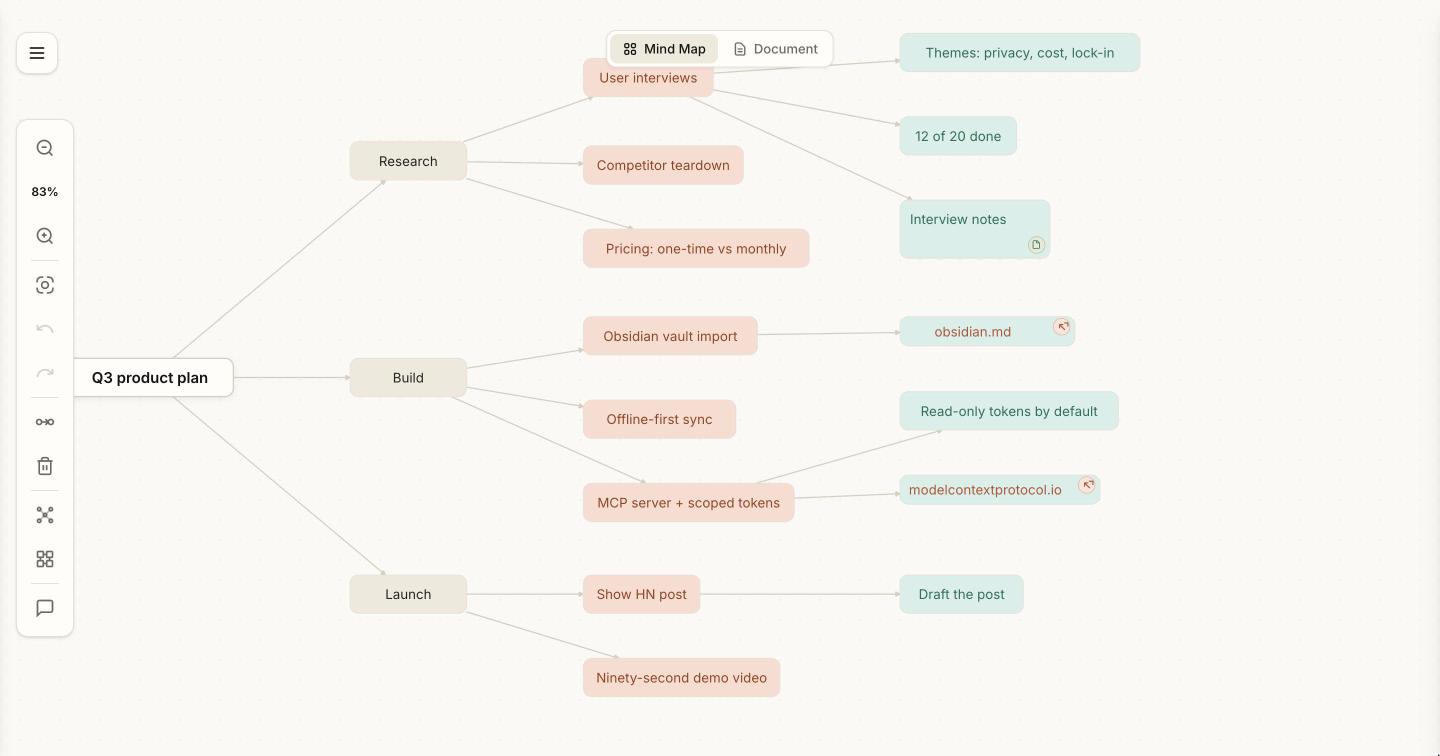
Double-click to make a node, drag to connect, and every node opens into a full markdown editor. Colour follows depth, so the shape of your thinking reads at a glance.
Already in Obsidian? Point BrainOS at your vault: it imports the notes, keeps the links, and makes it all searchable by Jarvis.
Included
All on one database — which is why Jarvis can answer questions that cross them.
Daily habits and streaks, mirrored to markdown so your history reads without the app.
Priorities and due dates. Jarvis can add, complete and reschedule them for you.
Save a link, get back a summary, tags and quiz questions — so you actually retain it.
Kanban boards with an activity feed: see what moved and when.
Several subjects at once, with a daily plan that adapts as you finish items.
And the seventh, eighth and ninth apps — the ones you describe and it builds.
For your AI agents
BrainOS speaks the same standard your agents already use for tools, so there’s no integration to wait for. Hand one a token and it can search your notes, recall what it knows about you and tick off your tasks — without your data leaving the machine.
$ claude mcp add brainos \
    --transport http \
    http://127.0.0.1:3210/mcp \
    --header "Authorization: Bearer bos_…"

✓ connected · 26 tools, 2 resources

> what did I decide about pricing in June?
  ↳ recall_memory · search_brainos
Mind maps are read-only over MCP by design: editing one means recomputing canvas geometry, so the canvas stays the only writer.
Generate a token in Settings, paste it into your agent, done. Nothing to install.
Plus Goose, Continue, LibreChat, the official Python and TypeScript SDKs — and any other MCP client, including ones that don’t exist yet.
The maths
Every year. Five logins. Five silos.
Then never again. Year two costs nothing.
Vendor list prices at the time of writing, single user. BrainOS still needs an AI provider — but it can be one you already pay for, or a free tier, with no margin on top.
No subscription
Every note app that charges monthly holds something over you: stop paying and your thinking gets locked behind a paywall or exported to a zip file.
BrainOS can’t do that. It’s a desktop app with a database on your disk and no server to switch off. One payment, every future update, and if I disappear tomorrow your copy keeps working exactly as it does today.
That’s the whole reason the price is a number and not a rate.
Pricing
One payment for the app and every version after it. No subscription, no account, nothing to renew.
one-time · every future update included
30 days to change your mind — full refund, no questions
Card or wallet via Polar, the merchant of record. Your order email links to the download and your receipt.
Questions
All of it. Every app, every AI provider, App Studio, the MCP server — the trial and the paid app are the same download. No account, no card, no email to start.
It runs for 7 days of use, not 7 calendar days. Days only count when you open BrainOS, so downloading it before a busy week costs you nothing.
BrainOS becomes read-only. Nothing is locked, hidden or deleted: every map, note, task and habit still opens, and search and export still work. Only editing pauses.
Your files never depended on us anyway — a SQLite database and a folder of markdown on your own disk. Enter a licence key and editing resumes where it stopped.
Email within 30 days of buying and you get the whole amount back. No justification needed — “it isn’t what I wanted” is a complete reason, and there’s no form to fill in or offer to sit through.
Nothing you made goes with it. Your maps, notes and markdown are on your own disk in formats that open without BrainOS, so a refund costs you no work.
Copies installed before version 2.7.5 need one manual install to clear this. Open your purchase page from the Polar order email, download BrainOS again, and drag it into your Applications folder over the old copy.
macOS ties an installed app to the certificate that signed it and only accepts updates carrying the same one. The earliest builds were signed with a development certificate or none at all, so your copy correctly refuses the properly signed releases that followed. No update can get past it, because the check runs inside the app you already have.
Nothing of yours is touched: notes, maps, habits, chats and settings live in your Library folder, outside the application. Updates install themselves from then on.
BrainOS ships for macOS 12+ (Apple Silicon and Intel) and Windows 10+. Linux is the one platform still missing — leave your email and you'll get one message when it's ready, at the same founding price.